 Mattermost v11.0 is now available! Learn what's new »


Workflow Automation
 Available on
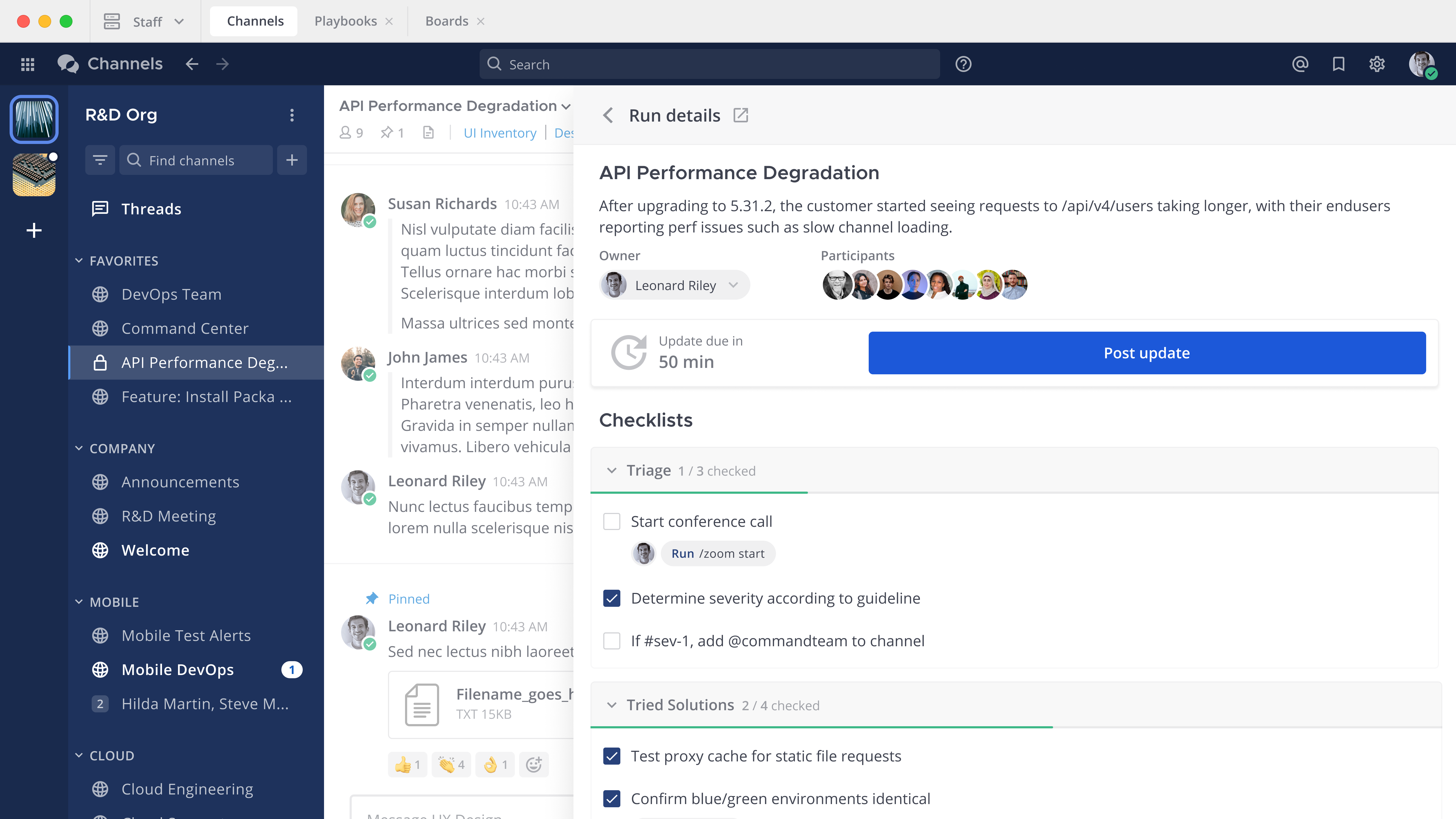
 Mattermost Playbooks provides structure, monitoring and automation for repeatable, team-based processes integrated with the Mattermost platform. Playbooks are configurable checklists for teams to achieve specific and predictable outcomes, such as incident response, software release management, and logistical operations.
From Mattermost v11.1, Entry, Enterprise, and Enterprise Advanced customers can enable adaptive, conditional workflows responding in real time to changing mission or operational context. Admins can define attributes such as severity, category, or linked ticket ID, and use those attributes to hide or show tasks depending on the values of these attributes which can be seen and modified during a playbook run. Learn more about playbook attributes and conditional playbook tasks.
While Playbooks primarily focus on coordinating people and tasks, they also have integration points. You can trigger a playbook run via an incoming webhook, allowing an external tool to trigger a playbook run. Within a playbook, you can define steps that execute webhooks or call external APIs. Additionally, playbooks can work in conjunction with plugins, keeping the entire workflow visible in Mattermost, and reducing the need to switch between apps during critical processes.
Playbooks monitor channels for keywords or user actions to trigger a structured process, which brings up a set of individual or shared tasks, each associated with manual or automated actions. As playbooks are executed, some may have requirements for broadcasting status updates to stakeholders at regular intervals, to populate workflow dashboards by conducting retrospectives after the core process is complete, or other customer requirements as exit criteria for a playbook “run”.
Advanced permissions are also available to delegate and manage playbook controls in larger organizations.
Configuration
Playbooks comes pre-packaged, installed, and enabled with Mattermost server.
Access
Access playbooks using a web browser or the desktop app by selecting the product menu located in the top-left corner of the Mattermost interface and then selecting Playbooks.
From Mattermost v11.0 and mobile app v2.34.0, mobile users can:
Post status updates directly from mobile: When you open a playbook run on mobile, a new status update button allows you to post progress updates and share status with your team while on the move or in the field.
Create and manage playbook runs for operational command at the edge.
From Mattermost v11 and mobile app v2.32.0, mobile users can access playbooks from the mobile app to interact with playbook tasks and update tasks.
From Mattermost v10.11 and mobile app v2.31.0, mobile users can access playbooks from the mobile app in read-only mode. Playbooks slash commands are supported in the mobile app, but actions like starting runs or updating checklists aren’t available through the mobile interface.
Usage
Use collaborative playbooks to orchestrate prescribed workflows and define, streamline, and document complex, recurring operations, and help your organization stay in command with integrated communication, collaboration, and status dashboards managing your workflow life cycles.
Try it yourself!
Walk through our Incident Response playbook demonstration to see what you can do with playbooks.
Learn more
This end user documentation is for anyone who wants guidance on building repeatable processes in Mattermost.
Overview - Learn what collaborative playbooks are and how they’re used.
Work with collaborative playbooks - Customize a playbook for successful runs.
Work with runs - Edit triggers and actions in an active run.
Work with tasks - Work with tasks and the task inbox.
Work with notifications and updates - Keep track of all your active runs and tasks.
Work with metrics and goals - Unlock insights about the performance of collaborative workflows across organizations with workflow dashboards.
Share and collaborate - Reuse and share collaborative playbooks with your organization.
Interact with collaborative playbooks - Interact with collaborative playbooks using slash commands and the REST API.